Assignments > Tutorial 4: Practice with Conditionals
Due on Fri, 02/05 @ 11:59PM. 3 Points.
NOTE: This quarter, there are some slight synchronization issues between what is covered in Tutorial and what is covered in Lecture. Technically, we’re not covering conditional statements until L10: Friday and we’re not covering while loops until next L11: Monday.
If possible, take a look at some of the L10-L11 materials before coming to your tutorial section. If that’s not possible, just do your best (and your peer mentor will help you). The main goal of this tutorial is to help you complete HW4).
Part 1: Number Guessing Game
Open the 01_number_game.py file and write a program for a number guessing game. The game already does the following:
- Picks a number between 1 and 100 using the random module [already done]
- Prompts the user to guess a number between 1 and 100: [already done]
Your job is to finish the game by implementing the following features:
- If the number is too low, it tells the user the number is too low and that they should guess again
- If the number is too high, it tells the user the number is too high and that they should guess again
- If they guess the number correctly:
- Tell them that they guess correctly
- Tell them the number of guesses it took to guess correctly
- Exit the program
Hints
- You will need a variable to track the number of guesses
- You will need a variable to store the user’s guess
- You will need a while loop that keeps prompting the user for their guess (until they win)
- You will need some combination of if, elif, and/or else statements to check whether the user’s guess is too low or too high. There are many ways to do this.
Part 2: Simplify the vertical circles program [loops preview]
- Open
02_vertical_circles.py - See if you can use a while loop to recreate this functionality, where there is only one make_circle function call that is repeated within a while loop.
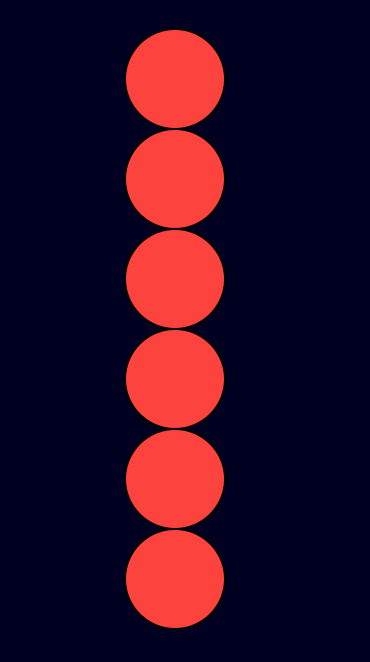
Hints
- You will need to initialize a counter
- You will need to make use of the counter to position the y-coordinate of the circle
Extra Challenges: Drawing with Loops
Practice creating the following shapes using a while loop. The first three shapes are recommended for everyone. The last two (spirograph ones) are optional. If you pursue the latter two, see if you can get implementation ideas here (or using some other source).
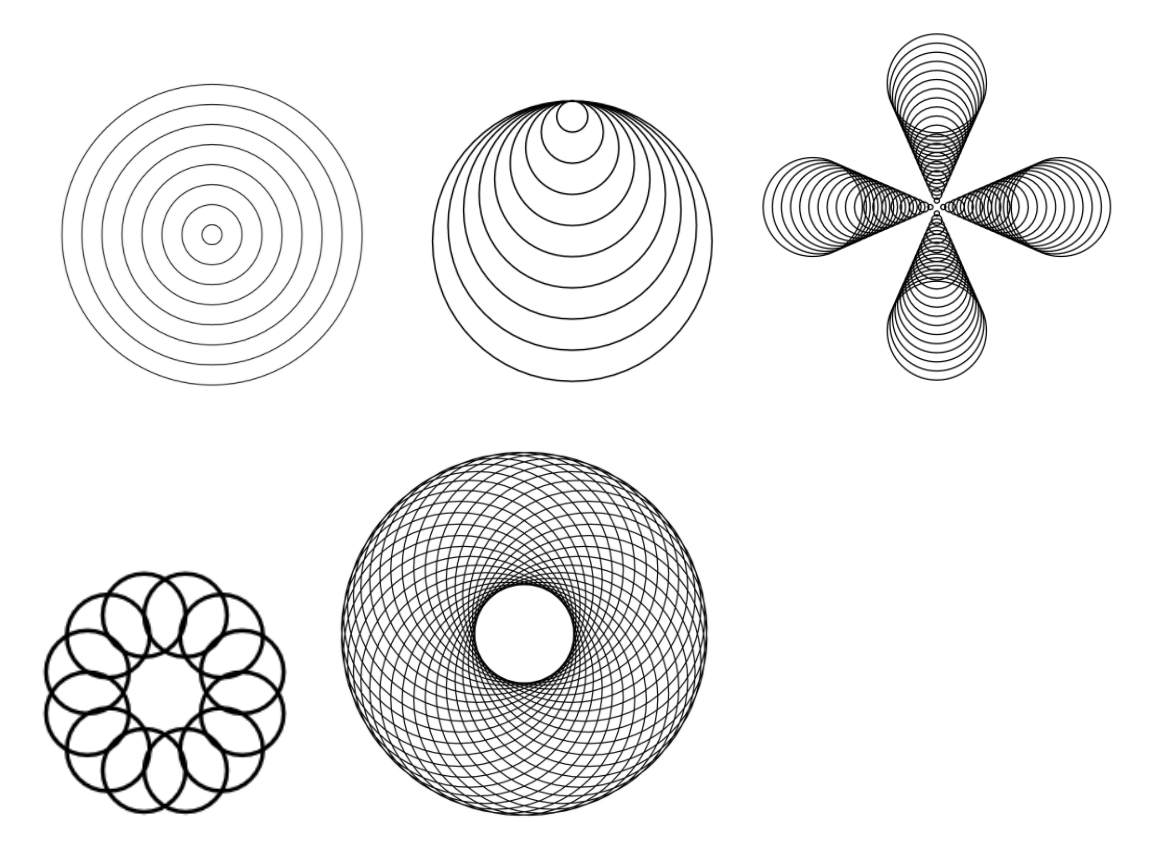
Hints
- Q: What do you want to repeat?
- A: Calling the circle function
- Q: How long to you want to repeat?
- A: until all of the circles in the picture are drawn
- What changes each time?
- A: Varies (depending on the drawing)
What to turn in (same deal as always)
Please turn in your completed tutorial exercise(s) on Canvas by midnight on the day it’s due. To do this, first zip your entire tutorial04 folder (with your edited files inside), and then upload your zip file to Canvas. Please ensure that your zip file includes YOUR CODE.