Assignments > HW4: Animations & Landscapes
Due on Mon, 02/15 @ 11:59PM. 8 Points.
One of our peer mentors, Katherine, has also created a get started video to get you oriented with the assignment.
LEARNING OBJECTIVES:
- Practice working with loops
- Practice working with if statements
- Practice working with the random module
Part 1: Landscapes


In landscapes.py, replace the code on lines 23-32 (which is repetitive) with a loop (any kind of loop you want) that makes 1,000 stars that fill the entire canvas. Hints:
- Use a loop
- Use the random module, and in particular the random.uniform function to give each star (or bubble if you choose) a random (x, y) position (given the dimensions of the screen) and a random width (so that it renders stars of different sizes).
Optional enhancements
- Draw a constellation (Orion’s Belt, Big Dipper, etc.)
- Make your stars twinkle
- Animate your bubbles
Part 2: Animation
Please open the cars.py file and make the following changes:
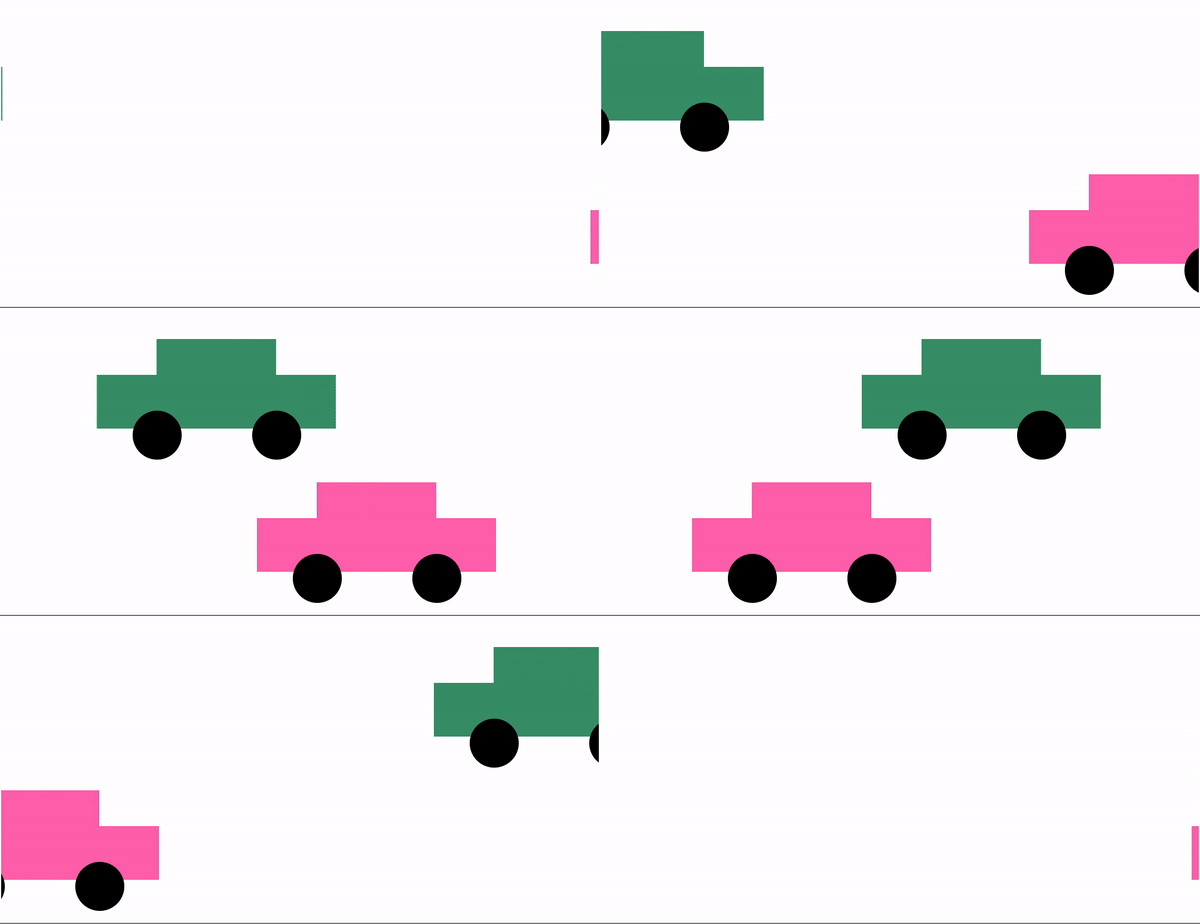
- Animate the car so that it moves across the screen.
- If the car gets to the end of the screen, it should seamlessly be moved to the beginning of the screen.
- Create a second car using the helpers.make_car function. Be sure to give your new car a unique tag.
- Make the second car move in the opposite direction, and also loop back around when it gets to the end of the screen (see the animated gif).
Hints / Suggestions
There are some built-in helper functions that can help you detect where the car is on the screen:
left_most_x_position = helpers.get_left(canvas, 'car1')
right_most_x_position = helpers.get_right(canvas, 'car1')
print(left_most_x_position, right_most_x_position)
Use these functions to help you detect whether your car has moved off of the screen, ideally as part of a conditional statement.
Note: feel free to take a look at the helpers.py module to see if there are any other helper functions that might be useful to you. And you’re welcome to modify any of those functions if you want.
Optional enhancements
The more you practice, the better you’ll get!
- Make the cars accelerate over time (start off slow and gradually move faster)
- Add your creature to your animation:
- Inside
helpers.py:- Add your
make_creaturefunction definition (adapt from Homework 3). - Modify your
make_creaturefunction so that each constituent shape of your creature gets assigned a tag (study themake_carfunction and do the same thing).
- Add your
- In
cars.py: animate your creature
- Inside
- Use loops and the random module to make many moving cars.
What to Submit
When you’re done with the assignment, please submit a zip file called hw04.zip that contains the files below named exactly as they appear:
- helpers.py
- cars.py
- landscape.py
IMPORTANT: YOU MUST TURN IN THE FILES — BOTH THE ZIP FILE AND THE PYTHON FILES — NAMED EXACTLY AS SPECIFIED ABOVE. OTHERWISE, OUR GRADING SCRIPTS WILL NOT WORK.